
Navigation
Install the app
How to install the app on iOS
Follow along with the video below to see how to install our site as a web app on your home screen.
Note: This feature may not be available in some browsers.
More options
You are using an out of date browser. It may not display this or other websites correctly.
You should upgrade or use an alternative browser.
You should upgrade or use an alternative browser.
kick by punkbuster
- Thread starter vince_78
- Start date
I am not an admin, but you can try the following if you keep getting kicked by punkbuster:
Do you have GeForce running? If so, turn it off before you join the server. Also, if you have Malwarebytes, shut it down as well while playing.
If that doesn’t work, then update your video game driver.
If that doesn’t work, then watch the video below:
If this helps, and you are able to play, then join us in Metro!
PitViper
Do you have GeForce running? If so, turn it off before you join the server. Also, if you have Malwarebytes, shut it down as well while playing.
If that doesn’t work, then update your video game driver.
If that doesn’t work, then watch the video below:
If this helps, and you are able to play, then join us in Metro!
PitViper
Juan,
Some VPN apps leave background services running even if you disconnect the user interface.
PitViper
Some VPN apps leave background services running even if you disconnect the user interface.
- Open your Task Manager (Ctrl + Shift + Esc).
- Look for lingering VPN processes (e.g., NordVPN, ExpressVPN, ProtonVPN).
- Right-click them and select End Task.
PitViper
- Thread starter
- #5
i try that steps it still doesn't workServer kicks me by this reason, but a dont use any VPN! HELP
Game disconnected: you have been banned from this server. Stated reason: [BF4DB] VPN-KICK - proxy - (i hide ip)
Are you playing though Steam or Battlelog? If you are playing though Battlelog, you can try uninstalling and then re-installing the EA App. Also, one time a bad chord was causing me issues. Are you playing on a laptop. If so, try a different chord. Make sure Battlefield and Punkbuster are allowed through your security protection software if you are running any.
Pit
Pit
- Thread starter
- #7
Are you playing though Steam or Battlelog? If you are playing though Battlelog, you can try uninstalling and then re-installing the EA App. Also, one time a bad chord was causing me issues. Are you playing on a laptop. If so, try a different chord. Make sure Battlefield and Punkbuster are allowed through your security protection software if you are running any.
Pit
- Thread starter
- #8
- Thread starter
- #9
![IMG_2116[1].JPG](/data/attachments/22/22368-92a759d126d9e40644086ffd02f1c6f9.jpg?hash=WPH24P5g4i)
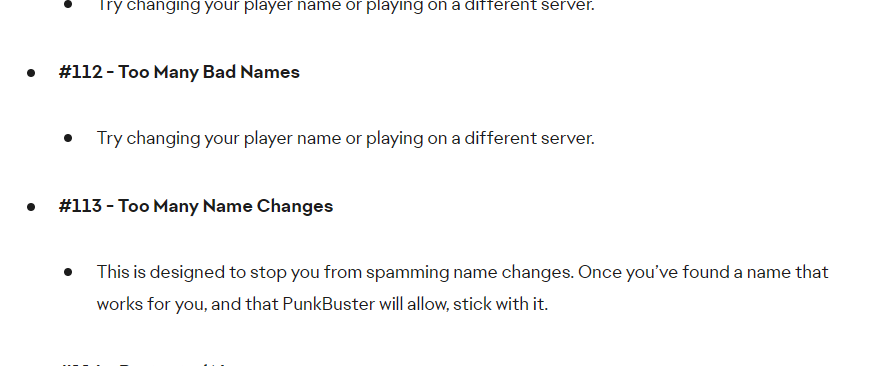
Change your name back to the name you had before it stopped working and then restart your computer.
You may have to wait for a few days for it to start working again.
Stop changing your display name frequently and stick to a single stable name,
Pit
You may have to wait for a few days for it to start working again.
Stop changing your display name frequently and stick to a single stable name,
Pit
- Thread starter
- #11
- Joined
- Jan 2, 2008
- Messages
- 27,202
- Age
- 39
This appears to be a Punkbuster issue, you arent banned from our servers. I found this on EA forums. Unfortunately PunkBuster (evenbalance) is out of the gaming community so submitted a ticket wont help either. Have you tried joining other servers?
- Thread starter
- #13
it works different server except tbg deathmatch.This appears to be a Punkbuster issue, you arent banned from our servers. I found this on EA forums. Unfortunately PunkBuster (evenbalance) is out of the gaming community so submitted a ticket wont help either. Have you tried joining other servers?
View attachment 23296